Peer Mode
In peer mode, Zenoh nodes discover each other and communicate directly — no router needed.
When to Use Peer Mode
- All nodes are on the same LAN
- Low node count (multicast scouting scales to ~dozens of peers)
- You want zero infrastructure
Configuration
{ mode: "peer" } // this is the defaultTopology
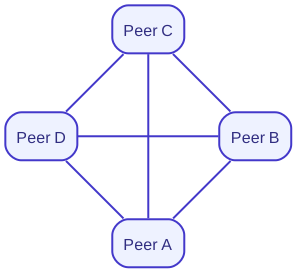
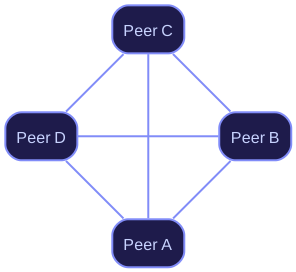
In peer mode every node maintains a direct connection to every other node it discovers. This full-mesh arrangement means zero-hop delivery but routing table size grows with the number of peers — suitable for dozens of nodes, not thousands.
Scouting
Peers discover each other via multicast scouting on 224.0.0.224:7446 (configurable).
When a peer comes online it announces itself; existing peers respond with their contact info.
Limitations
- Does not scale to WAN or NAT-traversal scenarios
- Routing table grows with node count
For larger deployments, use Router Mode.